SRC Volunteer Portal
The Volunteer Portal is your one-stop platform for volunteers and members to manage their volunteering journey with the Singapore Red Cross.
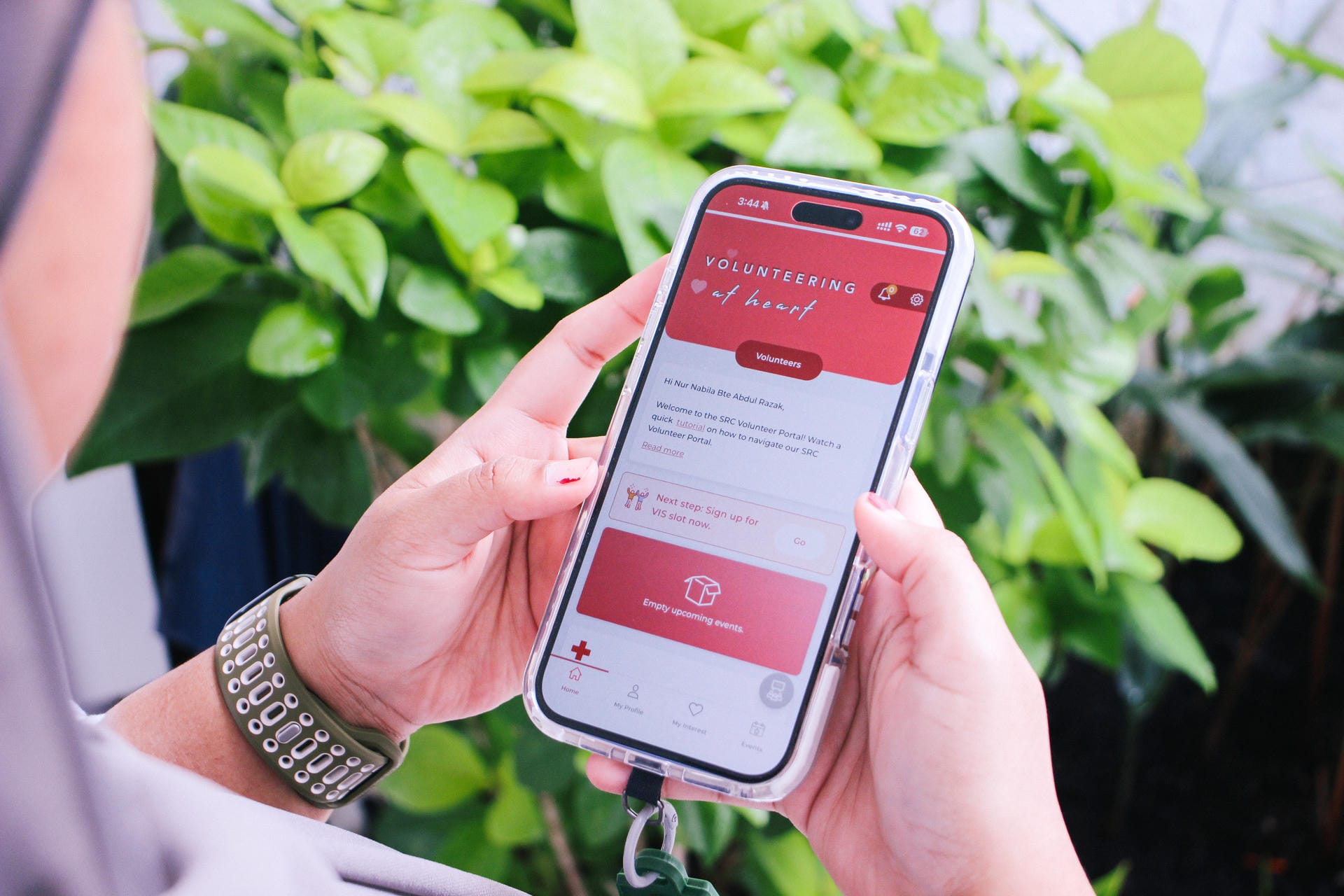
Whether you are accessing on the desktop (vp.redcross.sg) or on our mobile app ‘SRCVolunteer’, our Volunteer Portal is your one-stop platform for volunteers and members to manage their volunteering journey with the Singapore Red Cross.
You can access volunteering and training opportunities on the go, update your personal details and volunteering preferences, and stay notified of the latest updates on our humanitarian work!
Head to vp.redcross.sg on the desktop or download the SRCVolunteer app, and, sign up as a volunteer or member!
Once that is done, your volunteering journey begins!
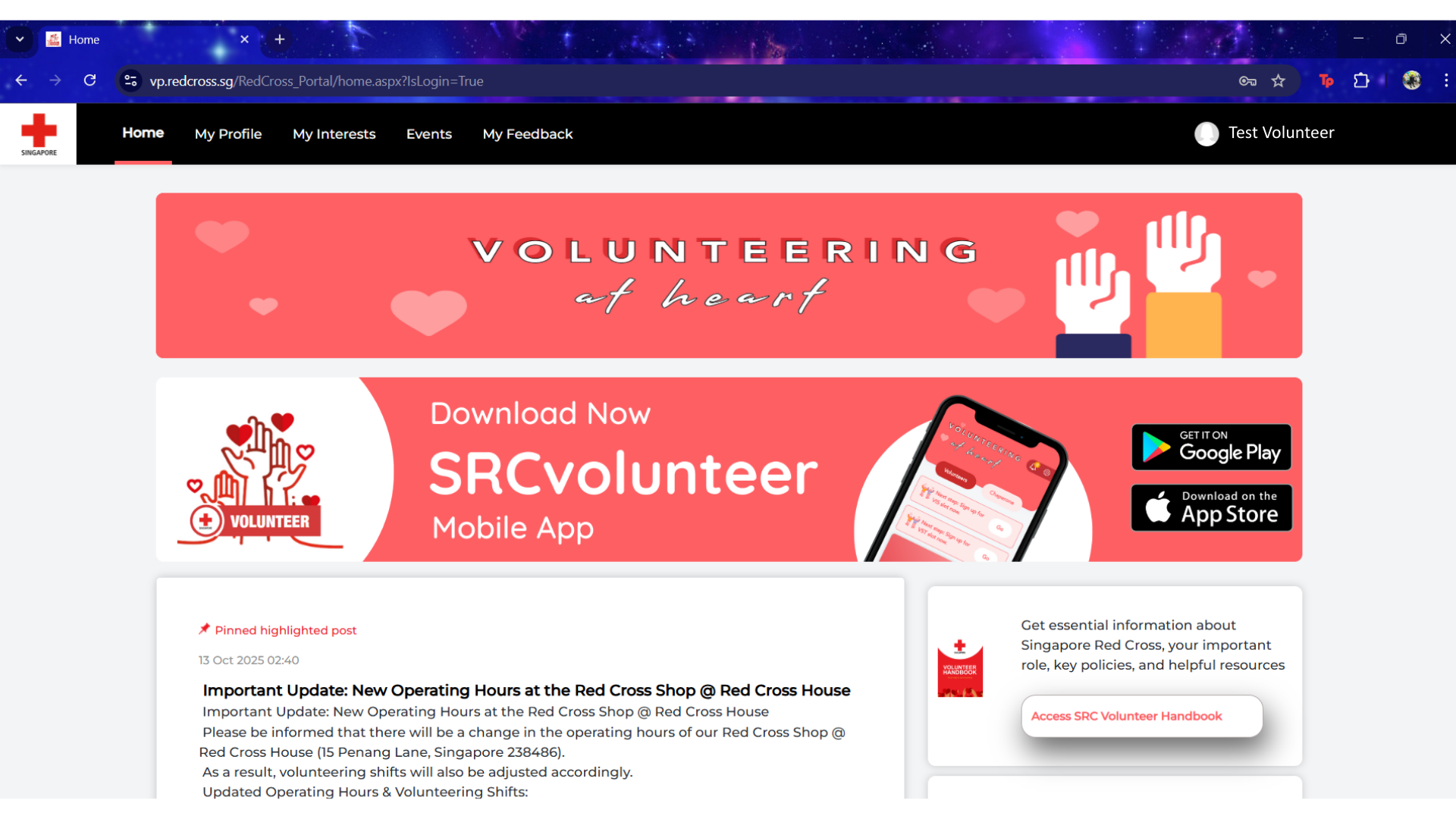
Home
Under ‘Home’, there are the step-by-step guide and FAQs on how to use the Volunteer Portal, and a reminder to sign up for the next Volunteer Induction Session (VIS).
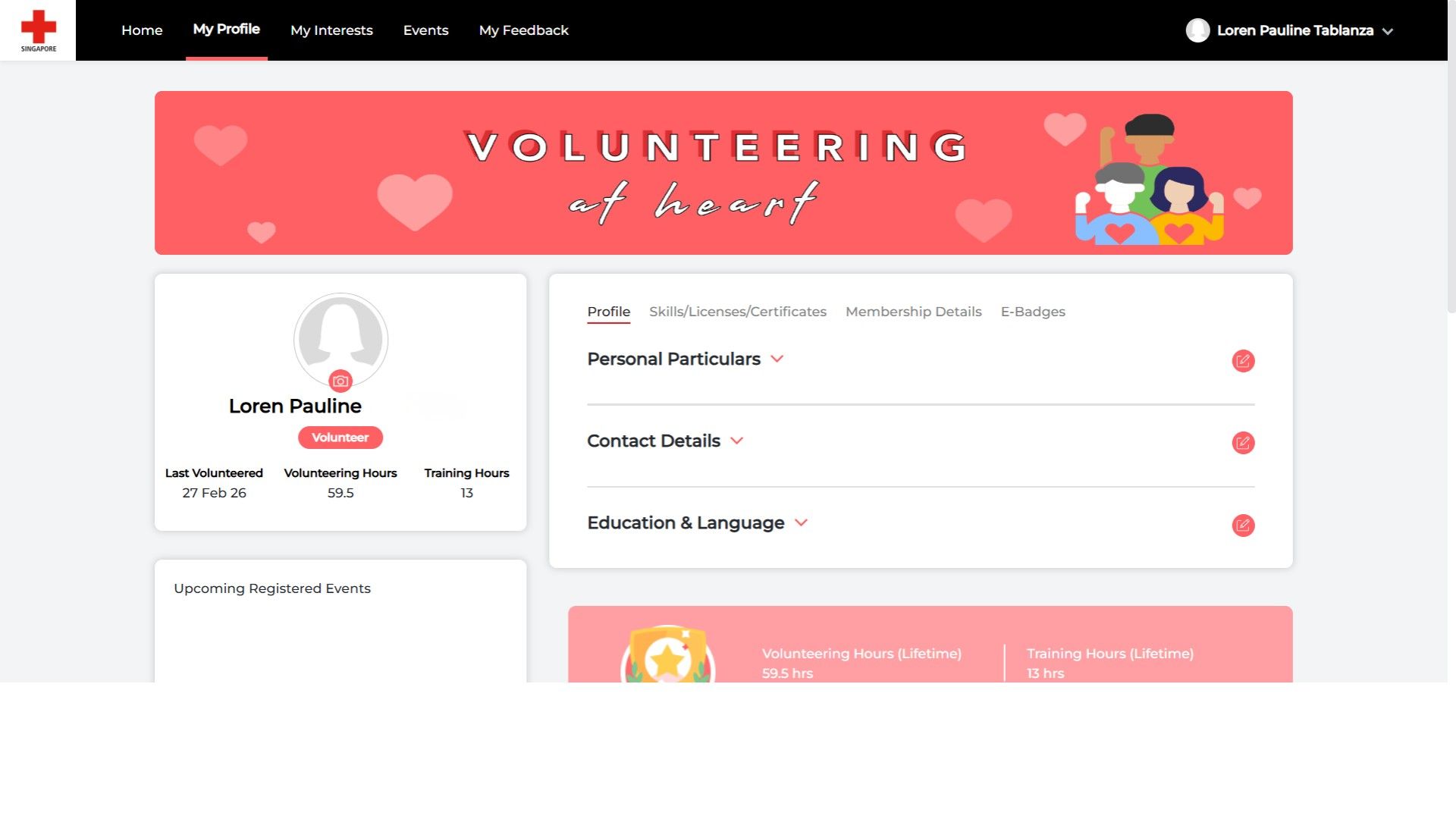
My Profile
Under ‘My Profile’, you can view your volunteering and training hours completed, and your personal information. You can also indicate your volunteering expertise like skills, licenses, and certificates
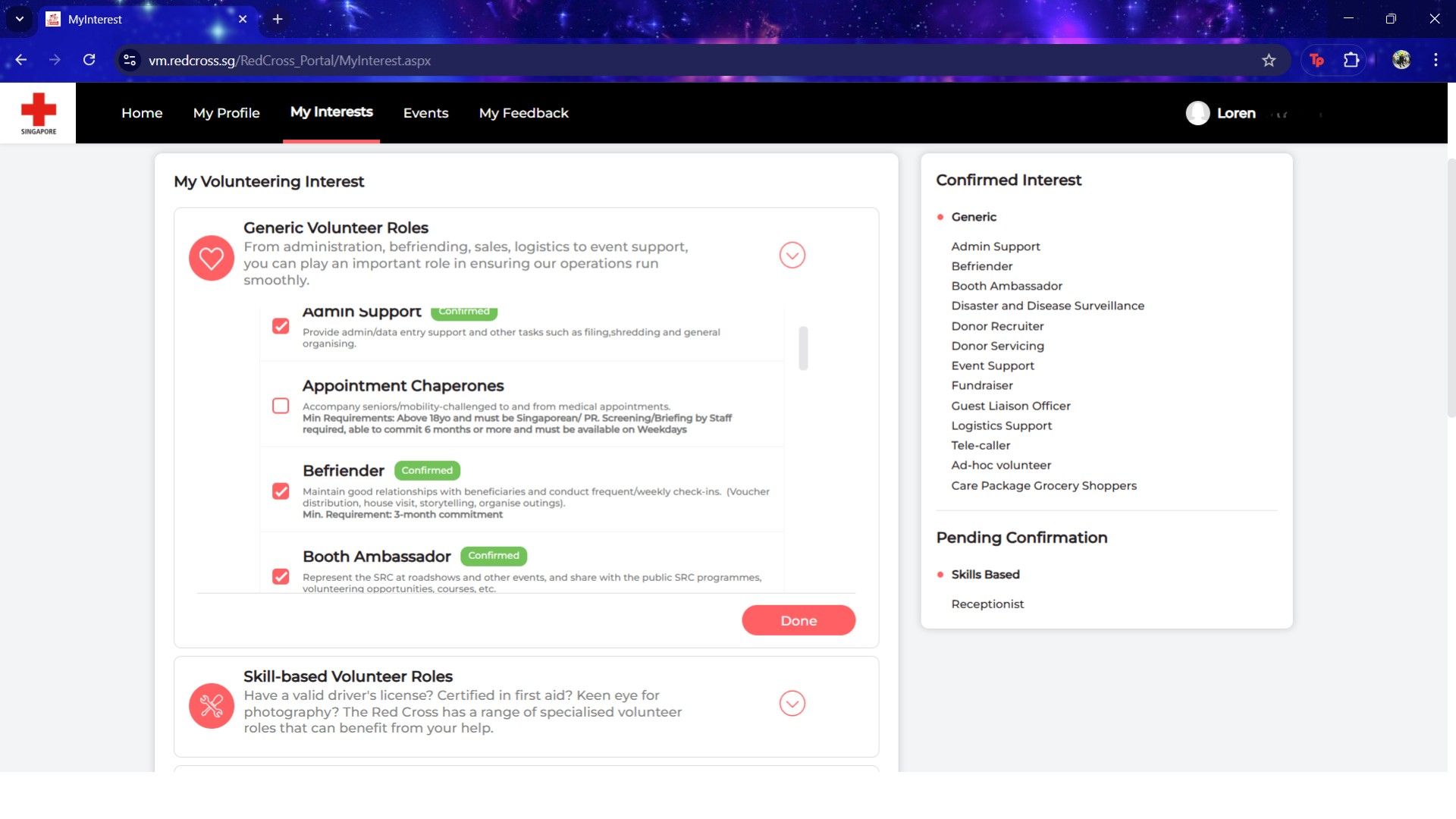
My Interest
Under ‘My Interest’, you can select your preferred volunteer roles from the 3 categories - Generic, Skilled, Professional. You can also select your preferred locations, available dates, times and beneficiary types.
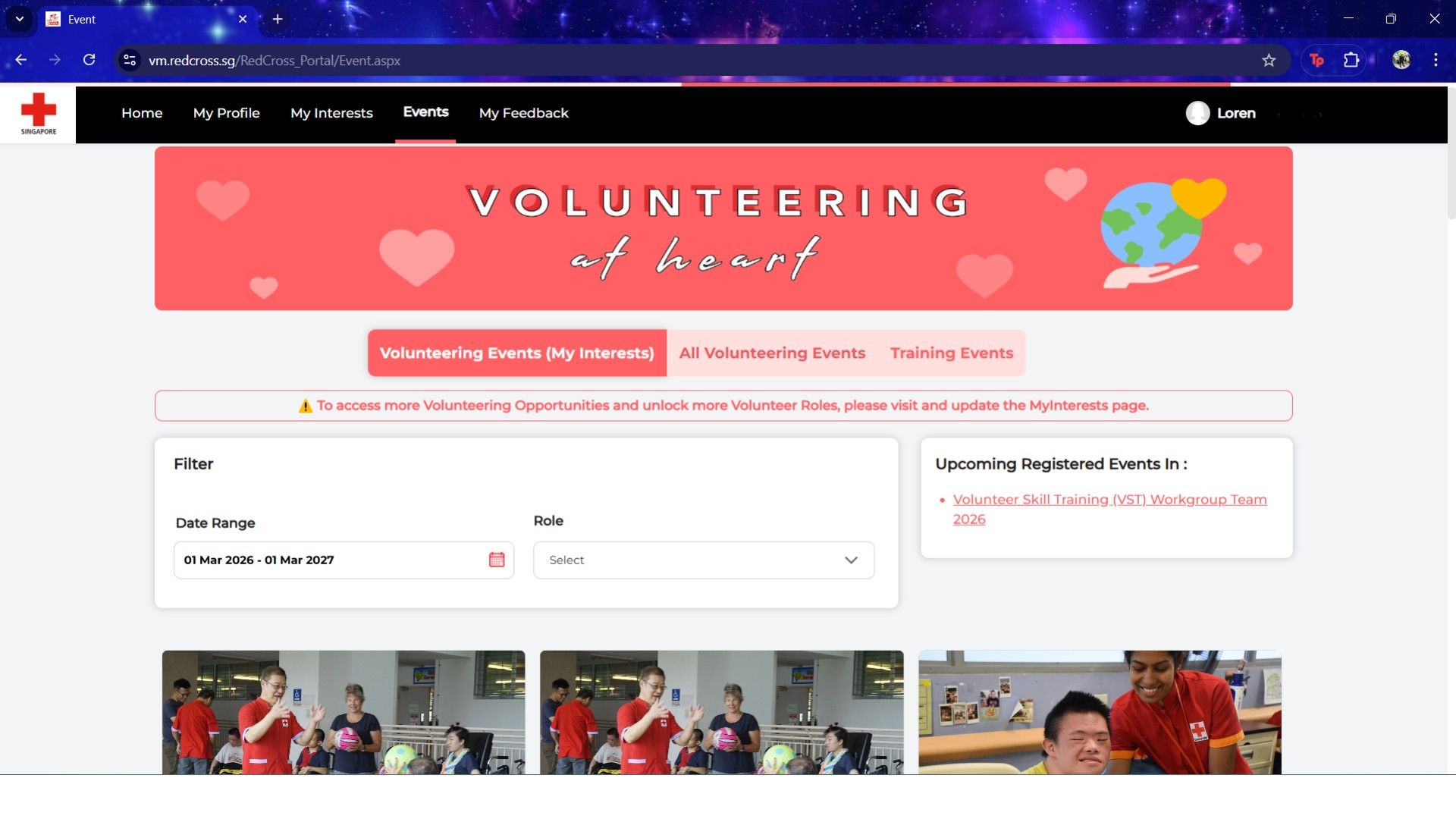
Events #1
Under ‘Events’, you can browse upcoming volunteering events and register for your preferred ones. There is also an option to see these events filtered through your indicated interests.
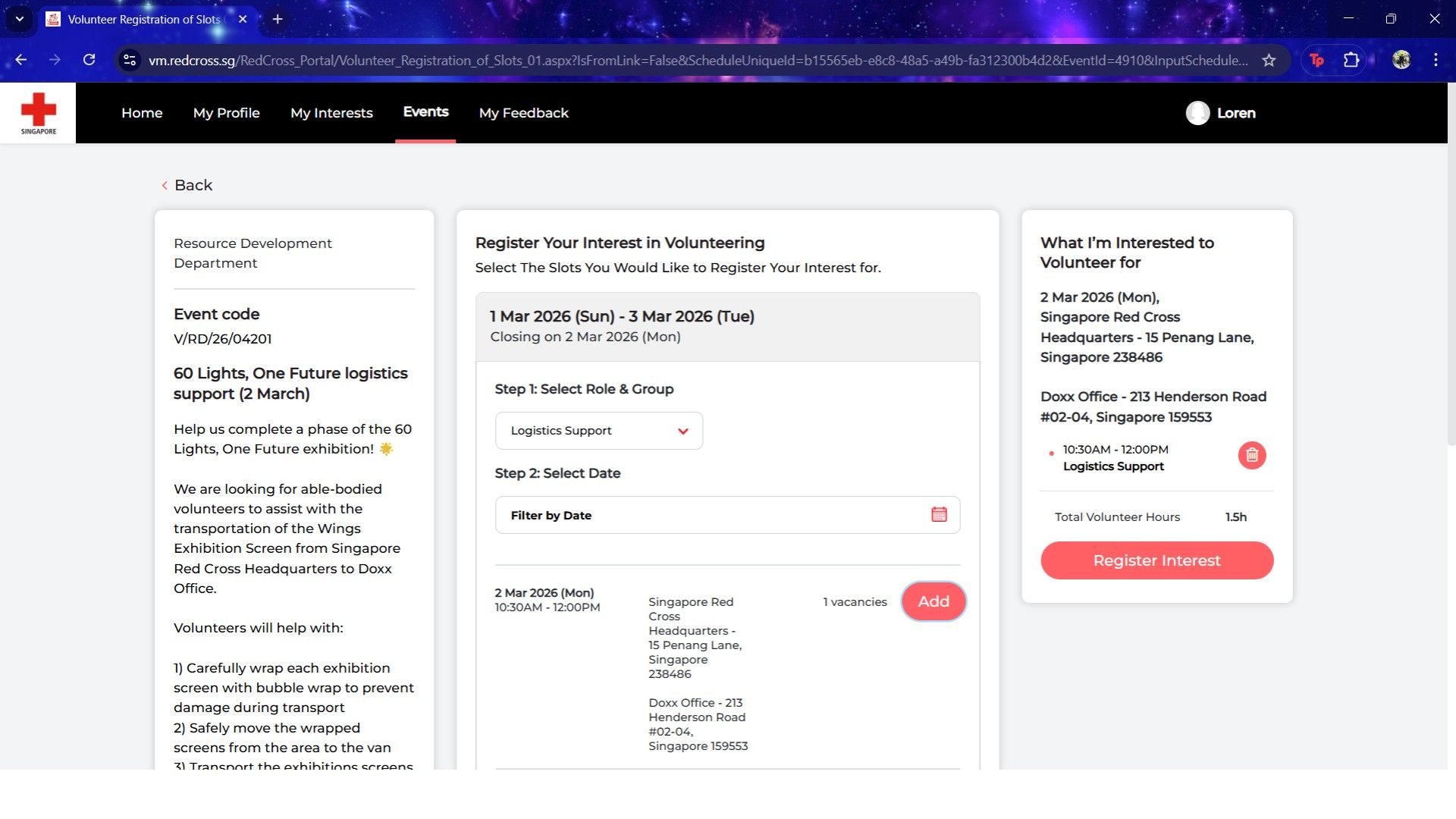
Events #2
(Registering an Event)
When registering for an event, you can read more about the event details and requirements, choose your preferred role, and confirm your availability!
Drop us an email and we’ll get in touch with you shortly!